I was standing on the front porch of a newly renovated home late one rainy Tuesday night when my client realized her physical keys were locked inside her house. To make matters worse, she had given a spare key to a contractor three months prior, only to discover he had lost it on a job site. Standing in the pouring rain, we weren’t just facing a temporary inconvenience—we were staring at a fundamental breakdown in basic perimeter security.
In my over ten years as a home improvement specialist and security consultant, I’ve seen this exact vulnerability exposed hundreds of times. Traditional mechanical brass keys are shockingly easy to duplicate, lose, or compromise. The moment a key leaves your hand, your control over who enters your facility effectively drops to zero.
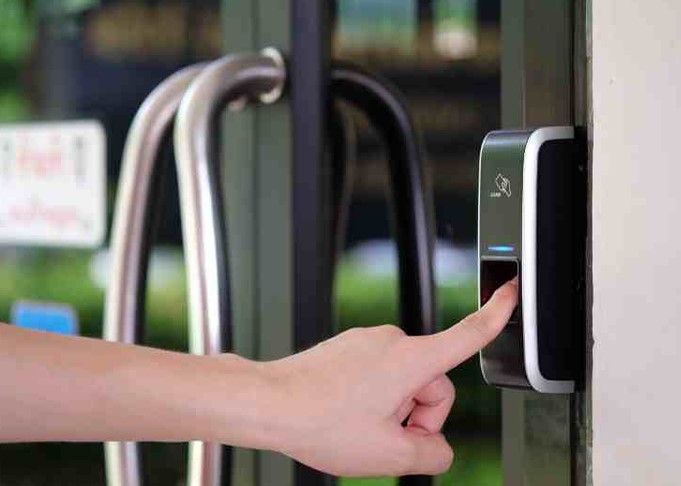
Upgrading to a high-performance fingerprint door lock is the most effective way to eliminate physical key vulnerabilities, establish strict biometric access control, and modernize your entry points. Let’s explore the underlying optical and capacitive technologies, physical installation standards, and proper power management protocols to secure your entry points with confidence.
Biometric Sensor Mechanics: Optical vs. Capacitive Technology
Before picking out a sleek smart lock for your front entry, you need to understand the physics behind how these devices scan and authenticate human tissue. Not all biometric sensors handle real-world conditions like dirt, rain, or worn skin ridges the same way.
Think of a biometric sensor like a high-end digital photographer stationed at your front door. An optical sensor takes a flat two-dimensional photograph of your print, while a capacitive sensor acts like a microscopic topographer, measuring the physical depth, valleys, and electrical charges across your skin.
                             [ FINGERPRINT SCANNER ]
                                        ||
                  +---------------------+---------------------+
                  |                                           |
        [ Optical Sensor ]                           [ Capacitive Sensor ]
  - Emits LED light source                     - Measures micro-electrical charge
  - Captures 2D visual surface image           - Maps 3D dermal ridges & valleys
  - Vulnerable to fake print mold prints       - Rejects non-living / fake samples
  - Affected by surface glare/dirt             - High accuracy across moisture/dirt
In the residential and commercial access control market, choosing the right sensor architecture determines both long-term security and daily convenience:
-
Optical Scanning: Uses a bright light source (usually LED) to capture a visual image of the surface pattern. While cost-effective, optical sensors can be tricked by high-resolution print replicas and struggle when exposed to direct ambient sunlight or dirty fingers.
-
Capacitive Scanning: Utilizes tiny capacitor arrays to measure the minute electrical charge differences between the ridges and valleys of your dermal skin layer. It creates a complex 3D map that cannot be spoofed by a flat image and operates reliably across varying lighting and weather conditions.
-
False Acceptance Rate (FAR) vs. False Rejection Rate (FRR): High-spec biometric locks achieve a FAR below 0.001% (rarely letting an unauthorized person in) and an FRR under 1% (rarely rejecting an enrolled user).
Selecting the Right Fingerprint Door Lock Architecture
Smart locks come in various mechanical form factors, ranging from simple retrofit deadbolts to commercial-grade mortise assemblies. Selecting the correct lock frame depends on your existing door construction and overall security requirements.
| Lock Form Factor | Installation Complexity | Mechanical Strength | Ideal Application |
| Deadbolt Replacement | Low (Fits standard $2\frac{1}{8}”$ bore holes) | Moderate to High (Grade 2 ANSI/BHMA) | Residential front doors, home offices |
| Integrated Handle Leverset | Low to Moderate | Moderate | Interior offices, utility rooms, side entries |
| Commercial Mortise Assembly | High (Requires pocket mortise routing) | Extreme (Grade 1 Heavy Duty) | High-traffic commercial facilities, exterior gates |
1. Smart Deadbolt Replacements
These units drop directly into standard residential door cutouts, replacing your existing mechanical deadbolt while keeping your current door handle intact.
-
Best used for: Residential front, back, and garage entry doors.
-
Key feature to look for: A Grade 2 or Grade 1 ANSI/BHMA security rating, paired with a hardened steel anti-saw latch bolt.
2. Full Mortise Biometric Locks
Mortise locks integrate the latch bolt, deadbolt, and biometric sensor reader into one heavy-gauge steel casing that sits inside a deep pocket carved directly into the door core.
-
Best used for: Commercial spaces, luxury residences, and heavy solid wood or metal exterior doors.
-
Key feature to look for: Multi-point locking mechanisms that extend steel bolts into the top, bottom, and side frame jam simultaneously.
Step-by-Step Installation & Alignment Protocol
A biometric lock is only as reliable as the mechanical alignment of the door frame beneath it. If your door sticks, sags, or requires physical pushing to lock, the motor inside your fingerprint door lock will quickly burn out.
Step 1: Correct Door Sag and Strike Plate Alignment
Before installing hardware, check the gap between your door edge and the wood frame. Tighten the top hinge screws into the wall studding to eliminate door sag. The deadbolt latch must slide into the strike plate pocket without rubbing against metal or wood edges.
Step 2: Mount the Interior and Exterior Assemblies Flush
Slide the exterior scanner housing through the $2\frac{1}{8}$-inch door bore hole, making sure the data wire passes underneath the mechanical deadbolt latch assembly. Connect the internal wire harness firmly to the backplate board, ensuring no wires are pinched when tightening the mounting screws.
Step 3: Execute Multi-Angle Biometric Enrollment
When registering your fingerprints into the unit’s onboard memory, do not press the exact same part of your thumb onto the scanner ten times in a row! Rest your finger at slightly different angles, capturing the tip, sides, and base of your fingerprint ridge pattern to guarantee 100% unlock accuracy on rainy or rushed mornings.
[ Step 1: Frame Realignment ]        [ Step 2: Multi-Angle Enrollment ]
  Eliminate latch friction             Register tip, sides, & center
+------------------------------+     +------------------------------+
| Align strike plate clearance | ==> | Scan finger at varying angles|
| Ensure smooth bolt throw     |     | Guarantees 100% first-try accuracy
+------------------------------+     +------------------------------+
Pro Tips
Pro Tip: Enrol Emergency Secondary Fingers
Always enroll at least three fingers per authorized user—preferably your primary thumb, dominant index finger, and a non-dominant finger. If you cut your primary thumb while working in the yard or cooking, having secondary registered prints prevents you from being locked out of your own property.
The Low-Voltage Solenoid Lockout
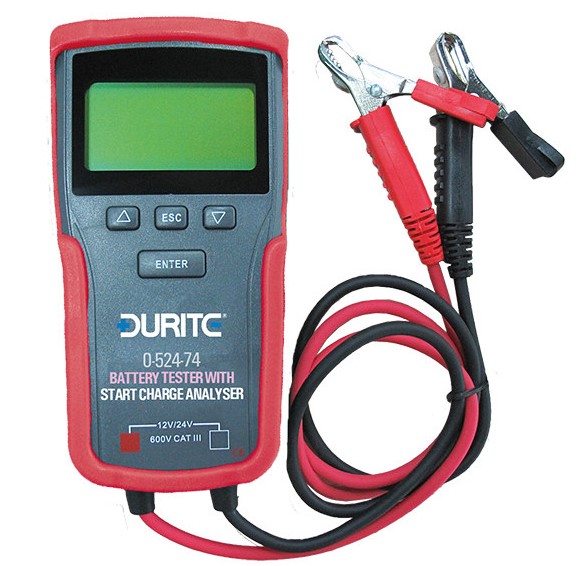
Most biometric smart locks run on standard AA alkaline batteries, lasting 8 to 12 months under typical daily usage. However, cheap zinc-carbon batteries drop voltage rapidly in cold weather, causing the motor to jam mid-stroke. Always use high-grade lithium or premium alkaline AA batteries, and ensure your lock features an external 9V emergency battery jump terminal or mechanical backup keyway on the underside of the housing!
Reclaiming True Access Control
Upgrading your home or facility security isn’t just about adding high-tech gadgets—it’s about removing the weakest link in physical security: the physical key. A properly installed, Grade-rated fingerprint door lock delivers seamless access, eliminates key management headaches, and provides real-time visibility into who enters your property.
How are you currently managing keys and access control at your home or business? Have you ever experienced a lockout or considered making the switch to biometric smart locks? Drop your questions, thoughts, and setup photos in the comments below—I’d love to help you harden your security!